

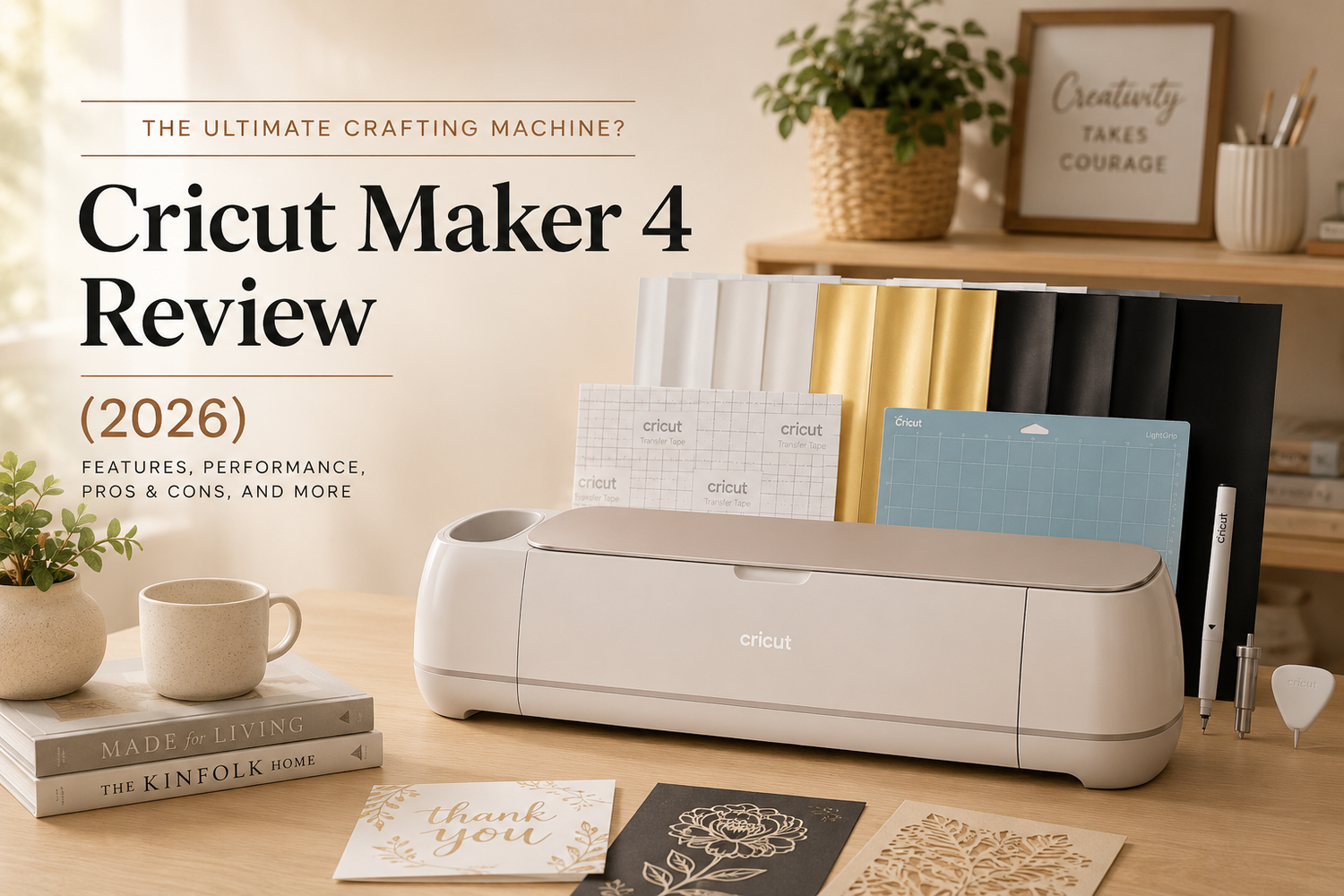
Is the Cricut Maker 4 the Best Smart Cutting Machine for Serious Crafters?
The Cricut Maker 4 is designed for creators who want a powerful all-in-one crafting machine capable of handling everything from vinyl decals to leather engraving and fabric cutting. The biggest buying factors for this category are usually material compatibility, cutting precision, tool versatility, speed, and ease of use for beginners versus advanced crafters.
For hobbyists, Etsy sellers, and DIY creators, the Maker 4 aims to deliver premium-level creative flexibility while improving speed and workflow compared to older Cricut models.
The Cricut Maker 4 is Cricut’s newest flagship smart cutting machine, built for users who want maximum flexibility and advanced crafting capabilities. It supports cutting, drawing, engraving, debossing, foiling, perforating, and scoring across more than 300 compatible materials.
Compared with entry-level Cricut models, the Maker 4 stands out because it works with advanced materials including:
- Leather
- Wood veneer
- Matboard
- Fabric
- Vinyl
- Cardstock
- Heat-transfer materials
The upgraded speed improvements are another major selling point, with Cricut advertising cutting speeds up to 2× faster than previous Maker models.
Key Features
1. Works with 300+ Materials
One of the strongest reasons people upgrade to the Maker series is material compatibility.
The Maker 4 supports:
- Vinyl
- Iron-on HTV
- Fabric
- Cardstock
- Leather
- Basswood
- Stickers
- Paper crafts
- Foil projects
This makes it suitable for:
- Custom apparel
- Home décor
- Wedding projects
- Small businesses
- Etsy shops
- Scrapbooking
- Personalized gifts
2. Advanced Tool Support
Unlike lower-end Cricut models, the Maker 4 supports specialty tools for:
- Engraving
- Debossing
- Rotary fabric cutting
- Knife cutting
- Scoring wheels
- Perforation
This dramatically expands creative possibilities.
3. Faster Cutting Performance
According to Cricut, the Maker 4 can cut and write up to twice as fast as previous models in supported modes.
For users running small craft businesses or producing large batches, this time savings can become significant.
4. Print-Then-Cut Support
The machine works with most inkjet printers for full-color Print-Then-Cut projects.
Popular uses include:
- Custom stickers
- Labels
- Planner accessories
- Printable decals
5. Cricut Design Space Integration
The Maker 4 uses Cricut Design Space software for:
- Project setup
- Templates
- Fonts
- Image libraries
- Custom designs
Beginners often appreciate the guided setup process and built-in templates.
Real Customer Feedback
What Customers Like
Excellent Cutting Precision
Many buyers praise the clean cuts and accurate detail handling, especially on:
- Vinyl
- Cardstock
- Stickers
- Fabric
Huge Creative Flexibility
Users frequently mention how many different project types the machine can handle.
For serious crafters, this is one of the biggest reasons to choose the Maker series instead of cheaper alternatives.
Beginner-Friendly Setup
Despite being advanced hardware, many reviewers say setup is straightforward using Cricut Design Space.
Professional-Looking Results
Small business owners and Etsy sellers often highlight the machine’s ability to create polished, professional-quality products.
Common Complaints & Downsides
Expensive Initial Investment
The biggest drawback is price.
In addition to the machine itself, buyers often need:
- Extra mats
- Specialty blades
- Vinyl
- Materials
- Tool attachments
Total startup costs can grow quickly.
Cricut Ecosystem Costs
Some users dislike Cricut’s ecosystem because:
- Premium images/fonts may require subscriptions
- Accessories can be expensive
- Replacement blades add ongoing cost
Learning Curve for Advanced Features
Basic cutting is easy, but advanced features like:
- Engraving
- Debossing
- Multi-layer projects
can take time to master.
Large Machine Footprint
The Maker 4 is larger than compact Cricut models, so it requires dedicated workspace.
Pros & Cons
| Pros | Cons |
|---|---|
| Works with 300+ materials | Expensive upfront cost |
| Supports engraving & specialty tools | Accessories increase total cost |
| Excellent cutting precision | Advanced features require learning |
| Faster than older Maker models | Large physical footprint |
| Great for businesses & serious crafters | Cricut ecosystem can become expensive |
| Beginner-friendly software |
Who Should Buy the Cricut Maker 4?
Recommended For
Serious Crafters
Excellent for users creating projects regularly.
Etsy Sellers & Small Businesses
The speed and versatility help support product creation at scale.
Fabric & Sewing Projects
The rotary blade support makes it very capable for fabric cutting.
DIY Enthusiasts
Great for home décor, gifts, wedding projects, and personalization.
Users Upgrading from Older Cricut Machines
The added speed and advanced tool support are meaningful upgrades.
Who Might Want Another Option?
The Maker 4 may not be ideal for:
- Casual hobby users
- Buyers on a tight budget
- Users with very limited workspace
- People needing only basic vinyl cutting
For simpler projects, lower-cost Cricut Explore or Joy models may be enough.
Comparison vs Other Cricut Machines
| Attribute | |
|---|---|
| Material Support | 300+ materials |
| Engraving Support | Yes |
| Fabric Cutting | Yes |
| Smart Cutting | Yes |
| Print-Then-Cut | Yes |
| Best For | Advanced crafting & businesses |
| Learning Curve | Moderate |
| Workspace Required | Medium to Large |
| Price Category | Premium |
Is the Cricut Maker 4 Worth It?
For users who craft frequently or run small creative businesses, the Maker 4 offers impressive versatility and long-term capability.
Its biggest strengths are:
- Material flexibility
- Precision
- Specialty tools
- Professional-quality output
- Faster workflow
The machine becomes especially valuable for creators producing:
- Stickers
- Shirts
- Wedding items
- Home décor
- Leather projects
- Personalized gifts
However, casual users should carefully consider whether they truly need the advanced features before investing.
Final Verdict
The Cricut Maker 4 is one of the most capable consumer smart cutting machines currently available.
It combines:
- Excellent cutting precision
- Broad material support
- Advanced crafting tools
- Faster performance
- Strong software integration
While the total ecosystem cost can become expensive over time, serious crafters and small business owners will likely find the investment worthwhile.
For advanced DIY projects and creative business use, the Maker 4 stands out as a premium crafting machine with professional-level flexibility.
Frequently Asked Questions
Can the Cricut Maker 4 cut fabric?
Yes. It supports fabric cutting using Cricut’s rotary blade system.
Does it engrave metal?
Yes, with compatible engraving tools and supported materials.
Is it beginner-friendly?
Basic setup and cutting are beginner-friendly, though advanced projects require practice.
Does it require a subscription?
No, but Cricut Access subscriptions unlock additional fonts, images, and premium content.
Can it make stickers?
Yes. It supports Print-Then-Cut sticker creation with compatible inkjet printers


Leave a comment
This site is protected by hCaptcha and the hCaptcha Privacy Policy and Terms of Service apply.