

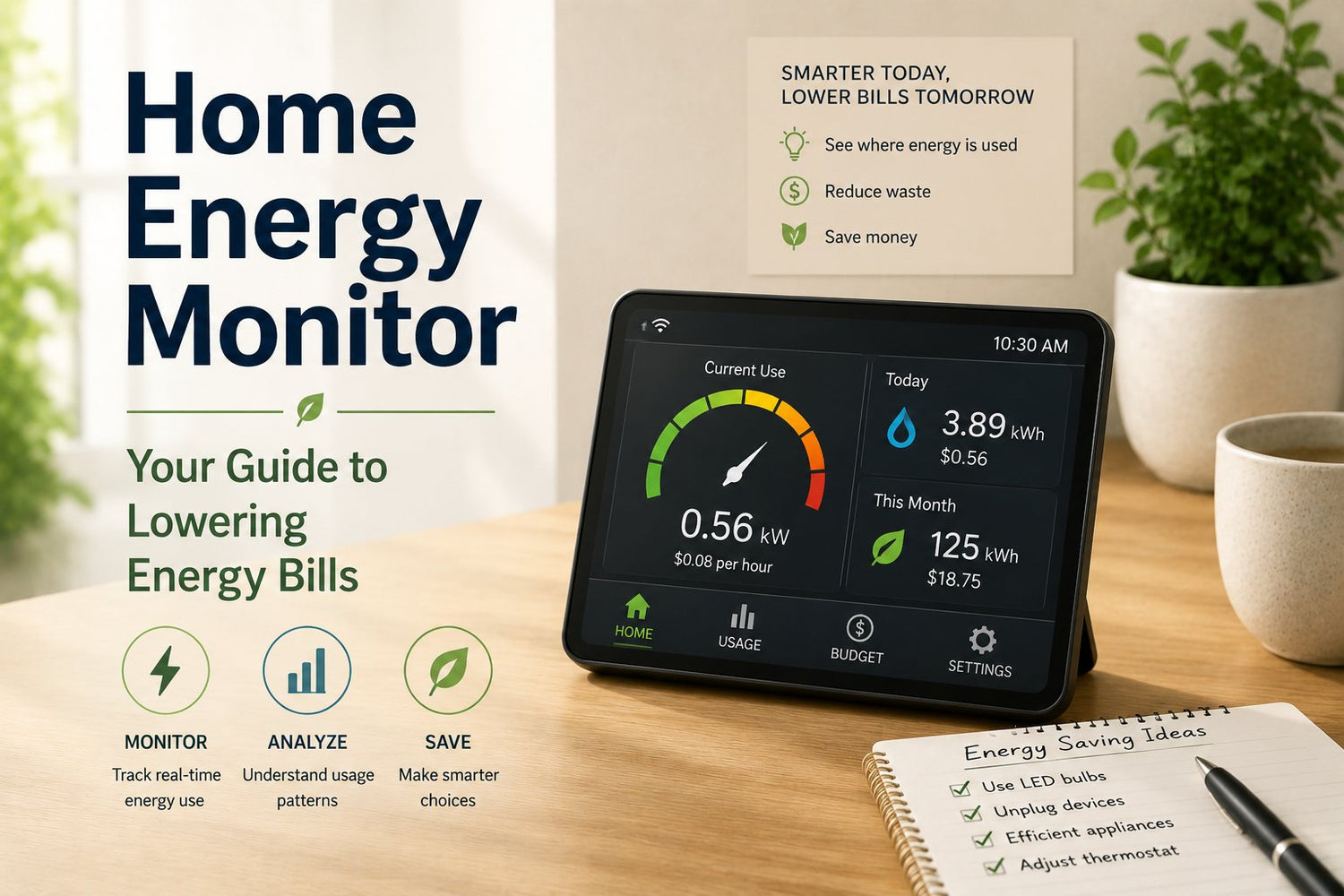
You open your electricity bill, scan the total, and immediately start guessing. Was it the air conditioner? The old fridge in the garage? Everyone charging phones, tablets, and laptops all day? A clear answer is often elusive. They just get one big number at the end of the month and hope using a bit less next time will help.
That's why a home energy monitor is so useful. It's a bit like a Fitbit for your house. Instead of counting steps, it shows when your home uses electricity, where the biggest spikes happen, and which devices draw power when you're not thinking about them. For homeowners, that can mean better control over bills and better timing for major upgrades. For renters, it can mean finding the appliances and plug-in devices you can control. For property managers, it can mean less guesswork across multiple units.
Table of Contents
- Why Is My Electricity Bill So High
- How a Home Energy Monitor Works
- The Four Main Types of Energy Monitors
- Real Benefits and Potential Energy Savings
- Installation Realities for Homeowners and Renters
- Choosing the Right Monitor for Your Home
- Costs, ROI, and Smart Home Integration
- Frequently Asked Questions About Energy Monitors
Why Is My Electricity Bill So High
A high bill usually feels unfair because it's vague. You used electricity across dozens of little moments. The kettle in the morning, the dryer in the evening, the television left on standby overnight. Then the utility rolls all of that into one number and expects you to figure out the story backwards.
A lot of households respond the same way. They try turning lights off more often, lowering the thermostat a little, or blaming one appliance without real proof. Sometimes they're right. Often they're not.
That's part of why home energy monitors have moved into the mainstream. The California Energy Commission reported in 2024 that adoption of home energy monitors in California grew by 35% between 2022 and 2023, with over 180,000 households using them. That same report also noted strong uptake among solar households, which tells you these devices aren't just for gadget fans. They're becoming a practical bill-management tool for ordinary homes, especially where power costs matter most.
A confusing bill makes people guess. A monitor gives them something better than a guess.
The biggest shift is psychological. Once you can see your usage in real time, electricity stops feeling invisible. You start noticing patterns. The bill goes from “why is this so high?” to “what happened on Tuesday evening?” That's a much easier problem to solve.
If you've already spent time improving obvious things like lighting, insulation, or fixture choices, the next useful step is often visibility. Even broad home-improvement decisions, such as the kinds of upgrades people consider when planning kitchen lighting improvements, work better when you know how your home performs day to day.
How a Home Energy Monitor Works
A home energy monitor sounds technical, but the basic idea is simple. It measures electricity flowing into your home and turns that flow into information you can read on your phone or another display.
Compare it to your home's main water meter. The water meter doesn't care whether the water goes to the shower, dishwasher, or garden hose. It tracks what's moving through the system. A home energy monitor does the electrical version of that job.

It starts at the electrical supply
Most whole-home monitors use split-core sensors, often called CT clamps. These clip around the main conductors in the electrical panel. They don't usually replace wiring or require the monitor to become part of the load path. They're measuring, not acting like a switch.
One concrete example is Eyedro's residential unit, which is designed for 120/240V, 60Hz service in the USA and Canada and measures kWh, voltage, amperage, true power (W), and power factor using split-core sensors that clip around conductors without rewiring, according to Eyedro's home energy monitor product specifications.
That's the hardware part. Then comes communication. The measured data travels from the sensor setup to a hub, gateway, or built-in wireless connection, depending on the brand. From there, software turns raw electrical readings into graphs, trends, and alerts.
What you actually see in the app
The app is where most confusion disappears. Instead of abstract electrical terms, you usually see practical information such as:
- Current usage: What your home is drawing right now.
- Usage over time: Patterns by hour, day, or month.
- Spikes: Moments when something large turns on.
- Trends: Whether evenings, laundry days, or heat waves drive your bill.
Some people stop there and get plenty of value. Others want more detail, such as tracking a fridge, a heat pump, or an EV charger separately. That depends on the type of monitor you buy.
Practical rule: If you can understand a banking app, you can usually understand a home energy monitor app. The hard part isn't reading the data. It's choosing hardware that fits your panel and living situation.
If you're used to shopping for appliances by size and fit first, the same mindset helps here. It's not that different from checking whether a 36-inch fridge buying guide matches your kitchen opening before comparing finishes and features.
The Four Main Types of Energy Monitors
Not every home energy monitor works the same way, and that's where many buyers get stuck. They compare products that belong to completely different categories, then wonder why the prices, features, and installation requirements are all over the place.
The easiest way to sort the market is by asking one question: How much detail do you want, and how much access do you have to the electrical system?

Home Energy Monitor Types Compared
| Monitor Type | Data Granularity | Installation | Best For |
|---|---|---|---|
| Whole-home CT clamp monitor | Main household usage | Installed at the electrical panel | Homeowners who want a broad view of total consumption |
| Circuit-level monitor | Individual circuits plus whole-home data | Installed at the panel, usually with more sensors | Detailed users tracking HVAC, dryer, oven, EV charging, or solar behaviour |
| Smart plug monitor | One plug-in device at a time | Plug into a wall outlet | Renters and anyone tracking lamps, gaming systems, coffee makers, or TVs |
| Cloud-based or local-processing monitor | Varies by hardware, differs mainly in where data is processed and stored | Depends on the monitor type | Buyers focused on app experience, privacy preferences, and long-term data access |
What each type feels like in real life
A whole-home CT clamp monitor is the closest thing to a household dashboard. It's good at telling you when the home is using more power than usual. It may show “something big just turned on,” even if it doesn't always identify the exact appliance without extra features.
A circuit-level monitor goes further. If your panel setup supports it, you can watch major loads separately. That's useful when your bill swings because of heating, cooling, laundry, water heating, or a vehicle charger.
A smart plug monitor is much simpler. It doesn't tell you everything happening in the house, but it can reveal whether one device is costing more than expected. For renters, this is often the most realistic entry point. A plug-in strip such as the iFOCUS USB Power Bar Hub - 86679 isn't itself a home energy monitor, but it's a good reminder of how many small electronics gather in one place. Products like that help organise charging and power access, while a monitoring device answers the separate question of how much energy those devices are using.
Then there's the cloud-based versus local distinction. This isn't about the sensor type. It's about where your data lives and how you view it. Some systems lean heavily on cloud dashboards and remote access. Others prioritise local visibility or a more self-contained setup.
If you own the property and can access the panel, whole-home or circuit-level monitoring usually gives the clearest picture. If you rent or share a building panel, smart plugs may be the only option that's easy to use without permission.
Real Benefits and Potential Energy Savings
The appeal of a home energy monitor isn't the graph. It's what the graph lets you do differently.

According to a 2023 EnergySage study, home energy monitor users in California reduced their monthly electric bills by approximately 10% on average, with many households saving between $15 and $40 per month. The study analysed data from over 1,200 California households, and it tied those savings to behaviour changes made possible by real-time visibility. Users could spot and reduce waste from idle electronics and inefficient appliances. In Southern California, average savings reached 12%, while Northern California users averaged 9%. EnergySage also noted that California electricity rates increased by 7.3% in 2022, which makes those savings more meaningful in practical household budgeting.
What people usually notice first
The first win is often finding energy vampires. These are devices that draw electricity even when they look “off,” such as entertainment equipment, chargers, or older appliances with standby modes.
The second win is timing. If your usage surges at expensive moments, a monitor helps you shift flexible tasks. Running the dishwasher later, spacing out laundry, or charging devices at a different time can matter more than people expect.
A third benefit is diagnosis. If a freezer suddenly starts cycling more often or an ageing appliance begins drawing power differently, a monitor can flag that change before the next bill surprises you.
You don't need to become an energy hobbyist. You just need enough visibility to spot the few habits or devices that matter most.
That same logic applies to seasonal equipment too. If you're trying to keep a room comfortable without overpaying, pairing usage awareness with a sensible appliance choice matters. A practical example is comparing heating needs before choosing an energy-efficient space heater, rather than assuming every portable unit costs the same to run.
Savings come from behaviour, not magic
A home energy monitor doesn't lower your bill by itself. It doesn't consume less power on your behalf. What it does is remove the fog.
Here's a useful visual overview of the broader idea:
Once people can see the spikes, they start making smarter decisions. They unplug the always-on spare fridge. They stop running several heavy loads at once. They notice that one room heater is doing more work than expected. That's where the savings show up.
Installation Realities for Homeowners and Renters
Many buying guides become overly cheerful. They explain what CT clamps do, show a polished app screen, and make installation sound universal. It isn't.
EnergySage points out a major blind spot in this category: installation fit and code or panel compatibility for homeowners and renters. Many guides explain CT-clamp monitoring in general, but rarely answer whether a monitor will work with older Canadian service panels, multi-tenant electrical rooms, or landlord-controlled panels, as noted in EnergySage's guide to energy monitors.
Homeowners have more options, but still need to check the panel
If you own a detached home and have direct access to your electrical panel, you're in the best position. Even then, don't assume every product fits every panel layout.
Before buying, check:
- Panel access: Can you safely reach the main conductors?
- Space inside the panel: Some systems need room for clamps, wires, or extra modules.
- Your comfort level: Some homeowners are fine mounting hardware and pairing apps, but not comfortable opening a live panel.
- Local code expectations: In many cases, hiring an electrician is the most sensible move.
DIY is often discussed as a cost-saving route, but the key question is risk tolerance. If your monitor only works when installed at the panel, the product isn't really “easy” unless the panel situation is easy too.
Renters often face access problems, not technology problems
Renters usually don't have a technology problem. They have an access problem.
If the electrical panel is inside your unit and your lease allows work, you may have options with permission. But many renters deal with locked utility closets, shared electrical rooms, or landlord-controlled service areas. In that case, a whole-home monitor may be a non-starter.
That doesn't mean you're out of options. It means you should shift your strategy.
- Use smart plugs for targeted tracking: Focus on plug-in loads you can control.
- Track portable heating and cooling: These are common bill drivers in rentals.
- Document patterns before asking permission: Landlords respond better when you can explain the problem clearly.
- Prioritise what's portable: If you move, you can take the equipment with you.
If you're trying to reduce cooling costs in a rental, product fit matters just as much as electrical monitoring. The same kind of practical checking applies when reviewing window air conditioner sizing advice, because the right unit in the wrong space won't solve the problem.
Older homes, condos, and shared electrical rooms need extra caution
Condos and older properties can be awkward. You might own the unit but not the panel room. Or you might have a panel design that makes clamp placement difficult. Some buildings also have service setups that aren't friendly to consumer monitor kits.
Reality check: The smartest purchase is often the one you don't make until you confirm the panel situation.
Property managers should pay particular attention here. A monitor that works well in one unit may not scale cleanly across a building portfolio if panel designs vary or tenant access rules differ.
Choosing the Right Monitor for Your Home
A good choice starts with your living situation, not the feature list. People often reverse that. They fall in love with app screenshots, then discover the hardware doesn't match the building.
If you own the home and want whole-house insight
Choose a monitor that matches residential service and offers clear whole-home visibility. If you want more reliable cost estimates and sharper tracking, accuracy matters.
Aeotec notes that a meter rated for up to 200A at about 99% accuracy can support near-real-time household load profiling, and that level of accuracy matters because small percentage errors compound when estimating daily or monthly kWh costs under California electricity pricing, according to Aeotec's Home Energy Meter specifications.
For this kind of buyer, the checklist is straightforward:
- Match service requirements: Confirm it's suitable for your home's electrical service.
- Look at amperage capacity: Whole-home monitoring should align with the loads your home can draw.
- Check app clarity: Fancy graphs aren't useful if no one in the household can read them.
- Decide how much detail you need: Whole-home data is enough for many homes. Circuit-level detail helps if you're actively troubleshooting large loads.
If you rent and need something simple
Renters should usually start with the least invasive path. That often means smart plug style monitoring for selected devices, plus basic habit changes informed by what you learn.
This approach works well if your main questions are practical ones such as:
- Is my portable heater costing more than I thought?
- Is my gaming setup drawing power all night?
- Does this old mini fridge need to go?
You won't get a complete house profile, but you will get answers you can act on without opening a panel or asking for electrical access.
If you manage properties
Property managers need consistency more than novelty. The right setup is the one tenants can use, maintenance staff can support, and the building can physically accommodate.
That's also where a guide-first platform can be useful. GrifGlo organises home and smart-living buying information around fit, real-life use, and decision-friendly comparisons, which is helpful when you're standardising products across different units rather than shopping one household at a time.
A practical way to choose is to match the monitor to the scenario:
| Situation | Better fit |
|---|---|
| Detached homeowner with panel access | Whole-home CT clamp monitor |
| Homeowner tracking specific major loads | Circuit-level monitor |
| Renter with no panel access | Smart plug monitoring |
| Multi-unit property with mixed panel setups | A standardised mix of plug-level tools and selected whole-home installs where access allows |
The best monitor isn't the one with the longest feature list. It's the one you can install, understand, and keep using.
Costs, ROI, and Smart Home Integration
The cost side is where people want a neat formula. Real life is messier because the price depends on the type of monitor, whether you need professional installation, and how detailed you want the data to be.
That said, the return usually comes from one thing: catching waste early and changing behaviour before the next billing cycle.

Where the return usually comes from
A simple way to think about ROI is this: if a monitor helps you identify a handful of recurring waste patterns, those small changes can add up month after month. The value isn't only in lower bills. It's also in better decisions about appliance replacement, heating and cooling use, and load timing.
A monitor often earns its keep when it helps you answer questions like:
- Which appliance is the culprit: The old freezer, the dehumidifier, or something else?
- When does usage jump: During dinner prep, laundry, or overnight standby?
- Did a home upgrade help: Or did the bill stay the same for a different reason?
Some households will want a basic answer. Others will use the data as part of a wider smart-home setup.
How monitors fit into a smarter home
A home energy monitor becomes more useful when it's part of a system instead of a standalone gadget. If you already use connected plugs, thermostats, or voice assistants, energy data can guide automations and routines.
For example, you might create routines that reduce standby loads, or pair energy awareness with other connected tools discussed in guides to smart home devices that work with Alexa. The main point isn't the assistant itself. It's that energy visibility becomes easier to act on when your home already supports schedules, remote control, and grouped device management.
Buy for the decision you want to make. If you only need to catch waste, keep it simple. If you want a living energy dashboard, choose a system you'll actually check.
Frequently Asked Questions About Energy Monitors
Are home energy monitors safe
They can be, but safety depends on the product and the installation method. If a monitor requires panel access, many households should treat that as electrician territory rather than a casual DIY task. A safe product still needs a safe install.
Look for clear product documentation and recognised electrical certifications where applicable. The details vary by brand, so check the manufacturer's own specifications instead of assuming all devices are certified the same way.
What about privacy
Privacy depends on how the monitor handles your usage data. Some systems store and process more information in the cloud, while others keep the experience more local. Before buying, check the app permissions, account requirements, and privacy policy.
The practical question is simple: Who can see your household energy patterns, and where is that data stored? If that answer feels vague, keep shopping.
Do they need maintenance
Most home energy monitors are fairly low-maintenance once installed. The usual upkeep is less about hardware and more about software. You may need to update the app, reconnect a networked device after router changes, or re-label tracked loads if your setup changes.
For plug-in monitoring, maintenance is mostly physical common sense. Don't overload outlets, don't bury heat-producing adapters under clutter, and replace damaged components promptly.
A home energy monitor works best when your expectations are realistic. It won't solve every bill problem on day one. What it does give you is a clearer picture, which is usually the missing piece when a household wants to spend less without guessing.
If you're comparing practical home tools and want fit-first guidance instead of feature overload, GrifGlo is a useful place to browse organised buying guides across smart living, appliances, and everyday home essentials.



Laisser un commentaire
Ce site est protégé par hCaptcha, et la Politique de confidentialité et les Conditions de service de hCaptcha s’appliquent.