

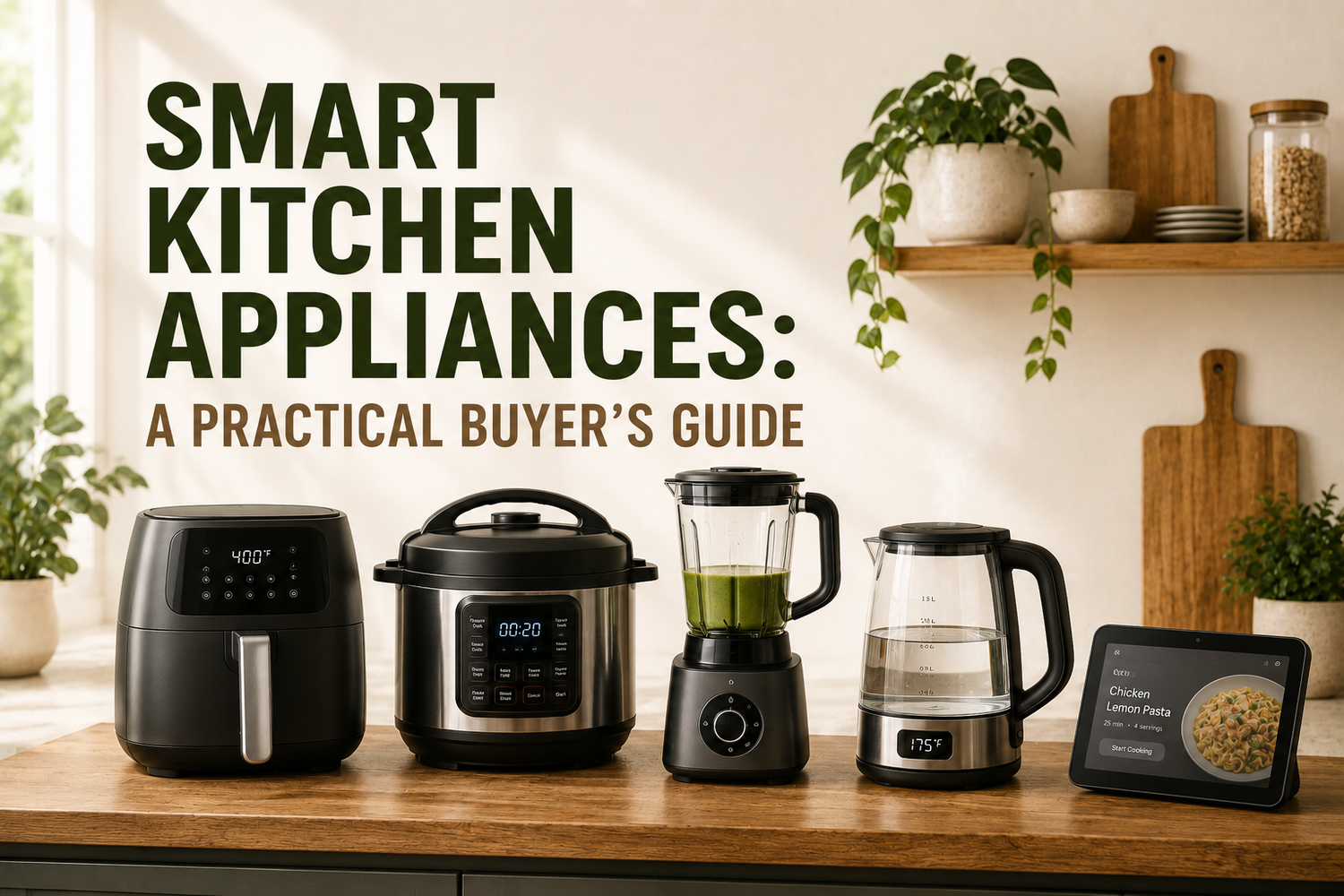
You're standing in a kitchen that's working, but not smoothly. The oven takes longer than you expected, the dishwasher is still running after you've sat down, and the fridge is full of food you keep forgetting to use. That's the reason people start looking at smart kitchen appliances, not because they want a gadget wall, but because they want dinner, cleanup, and planning to feel less tiring.
The tricky part is that “smart” can mean very different things. Sometimes it's just a Wi‑Fi timer. Sometimes it's a sensor-heavy system that changes heat, timing, or cycle length for you. If you buy based on the label alone, you can end up paying extra for features that don't change your routine at all.
Table of Contents
- What Smart Kitchen Appliances Actually Mean in Daily Life
- The Four Core Categories and What Smart Looks Like in Each
- Where Smart Features Earn Their Premium and Where They Don't
- Ecosystems, Voice Assistants, and Connectivity Standards
- Privacy, Security, and Accessibility Trade-offs Most Reviews Skip
- How to Evaluate Specs, Wattage, and Real-World Fit
- Installation, Maintenance, and Small-Business Use Cases
- A Decision Checklist for Your First Smart Kitchen
What Smart Kitchen Appliances Actually Mean in Daily Life
A connected kitchen only feels impressive when it removes a step you dislike. If your oven can preheat while you finish a school run, or your dishwasher can tell you whether a cycle finished before you walk back into the room, that's useful. If it only adds another app to open, the “smart” part is mostly noise.
Smart is a behaviour, not a badge
Think of connectivity as one feature, not a category. A connected appliance might let you start it remotely, but the better ones use sensors, guided workflows, or software updates to improve what happens on the appliance itself. That's the difference between a toaster with an app and a cooking system that adjusts time or power because it has sensed the load.
Practical rule: if the feature doesn't change what you do on a busy Tuesday night, it probably isn't paying for itself.
There's also a big difference between features that depend on the cloud and features that work locally. A cloud-linked appliance may lose remote control, notifications, or recipe sync when the internet drops. A locally usable appliance should still cook, wash, chill, or dry normally, which matters more than people realise during outages or router trouble.
The North American market data backs up how mainstream this category has become. Smart kitchen appliances were the largest regional market in 2025 in North America, with 33.78% global share, and the overall market is projected to rise from USD 23.68 billion in 2025 to USD 43.93 billion by 2031 in Mordor Intelligence's forecast, with a 10.86% CAGR over 2026 to 2031 (Mordor Intelligence). That doesn't mean every connected feature is worth buying. It does mean the category has moved from novelty into everyday retail reality.
For a simple example of where connected behaviour helps, a guided appliance can reduce guesswork for repetitive jobs. If you want a basic, practical cooking workflow, a connected countertop device or even a familiar appliance used well can be easier to live with than a feature-heavy giant. A useful starting point for that mindset is this how to use an espresso machine guide, because it shows the same principle, clear steps matter more than fancy wording.

The Four Core Categories and What Smart Looks Like in Each
The easiest way to sort smart kitchen appliances is by how much the connected feature changes the actual job. A smart oven can affect cooking quality. A smart fridge can help with planning. A smart dishwasher may save effort in load management. A smart microwave or coffee maker might mostly save you a button press.
Big appliances are where sensors matter most
In ovens and ranges, the smart features that make sense are the ones tied to heat control. Internal cameras, temperature probes, guided cooking, and precise adjustments all help because cooking is a judgement task, not just an on/off task. That's why an appliance like the NINJA FT205CO Digital Air Fry Pro Countertop 10-in-1 Oven - Factory serviced with Home Essentials warranty can be understood as more than a countertop box. Its DIGITAL CRISP CONTROL TECHNOLOGY is about controlling temperature, heat source, and airflow, while the 10-in-1 versatility keeps the unit useful for everyday cooking tasks without demanding a separate appliance for each job. The catalog snapshot also notes increased height capacity and reduced counterspace, which is the kind of plain-language benefit buyers should look for, usable space and usable functions.
A refrigerator becomes smart when it helps with inventory, reminders, or diagnostics. That matters because the fridge is already the centre of household planning. If it only gives you a large screen, that's a display feature, not a kitchen improvement.
Dishwashers are similar. The connected value is strongest when the machine can sense soil, adjust cycles, or alert you to a problem before it becomes a repair. If the app only tells you the cycle has ended, you're not really buying a smarter wash, just a remote status update.
Small appliances are where shoppers need to be careful. A microwave, coffee maker, or air purifier with Wi‑Fi can be handy, but many of those features duplicate a timer or a schedule you already know how to set. If you want a deeper look at microwave categories in Canada, this best microwave ovens Canada resource is useful for comparing practical fit rather than chasing the flashiest display.

A connected cooking appliance that also handles mixing, steaming, weighing, guided recipes, and software updates shows the other side of the category. The point isn't remote control alone. It's that the appliance can carry part of the recipe logic for you, which is valuable when you cook the same types of meals repeatedly.
Where Smart Features Earn Their Premium and Where They Don't
The best premium features take over work a person would otherwise have to do carefully. In the kitchen, that usually means monitoring, sensing, or adjusting. If the device is just replacing a basic delay setting, the upgrade is harder to defend.
Where the upgrade makes sense
Ovens with internal cameras are a clear example, because they help you check progress without opening the door and losing heat. Induction ranges with precise control also make sense, because cooking often depends on small changes in temperature, not broad temperature bands. Refrigerators with diagnostics or freshness tracking can also justify more spend, because they support decisions around food use, storage, and repair timing.
The contrast is sharper in appliances like dishwashers, ice makers, and some coffee makers. If the “smart” feature mainly lets you start the cycle remotely, that may sound modern, but it often behaves like a delayed-start button with a network connection. That's not nothing, but it's not the same as an appliance that makes a better result on its own.
A good connected feature should reduce mistakes, not just add convenience theatre.
Cloud dependence changes the calculation over time. If app support stops, if the server side changes, or if the product platform is abandoned, the premium you paid can shrink fast. That's why durability isn't only about the metal box in the kitchen. It's also about whether the software layer will still work five years later.
For a practical comparison point, this category gap is why some buyers end up preferring a connected oven, but a plain dishwasher or coffee maker. One kind of smart feature changes cooking quality. The other often changes where you press start. For a broader critique of longevity and value, the discussion at smart kitchen appliances a deep dive into value and longevity captures the same basic split.

Where the premium is harder to justify
If a connected toaster or basic microwave costs more only because it has an app, the value case is thin. Most households already know how to set time or power manually. In those cases, the money is often better spent on build quality, size, or a clearer control panel.
The same logic applies to some coffee makers. If a machine mainly uses the internet to begin brewing at a scheduled time, ask whether your routine needs that, or whether a built-in timer already solves the problem. The more a device resembles a fixed daily habit, the less you usually gain from cloud control.
Ecosystems, Voice Assistants, and Connectivity Standards
The home network you build matters as much as the appliance you buy. A smart fridge that works beautifully in one household can be frustrating in another if the app, voice assistant, or account structure doesn't match the rest of the home. That's why ecosystem choice should happen before the shopping spree, not after delivery day.
Start with the platform, not the product page
At the simplest level, most appliances connect to Wi‑Fi. After that, manufacturers layer on proprietary apps, then voice assistants like Amazon Alexa or Google Assistant, and sometimes emerging standards such as Matter. The point of the ecosystem is convenience, but the cost is often commitment. If your house already runs on one assistant, buying against that pattern creates extra friction in every room.
Some devices connect directly to the router. Others still assume a hub or a manufacturer account before they'll do anything useful. That distinction matters because a device that looks cross-platform on paper can still be awkward in daily use if it depends on one app for setup, another for alerts, and a third for voice control.
For households already using Alexa, a practical question is how far you want that system to reach. The resource office Alexa coffee machine review is useful because it shows how appliance control can fit into a voice-first routine without pretending that every device needs the same level of integration.
Don't buy compatibility badges blindly
A device badge that says it supports a standard doesn't guarantee the same depth of control across brands. The kitchen still has a lot of walled gardens, especially in higher-end appliances where the manufacturer wants to keep the full experience inside its own app. That can be fine if the app is stable and the hardware is strong, but it becomes annoying when you later want a mixed-brand setup.
If you want a broader household map, smart home devices with Alexa is a helpful reference for understanding how voice control sits on top of actual appliance functions. The cleanest way to choose is to decide which ecosystem you're already using, then check whether the appliance supports it natively rather than through a workaround.
Good buying rule: choose the ecosystem you'll still like if the novelty wears off.
The same logic applies to upgrades. A kitchen built around one brand's app can feel cohesive today and restrictive later. A mixed strategy, router-first where possible, platform-specific only when the feature really matters, usually ages better.
Privacy, Security, and Accessibility Trade-offs Most Reviews Skip
A smart appliance can make life easier and still be a poor fit for the household. The usual buying guides talk about convenience, but they rarely ask what data the appliance sends out, who can use it without a phone, or what happens if the account keeps living after the appliance is replaced.
The hidden questions are the useful ones
Before you buy, ask what data leaves the appliance, where it's stored, and whether the device still works in a basic way if the app goes away. Those questions sound technical, but they're really about ownership. If the appliance depends on a login you don't fully control, you may be tied to the platform longer than you expected.
Security hygiene doesn't need to be complicated. Many households keep kitchen devices on a separate guest network or otherwise limit what can talk to what. That's not paranoia. It's just basic containment for a room full of internet-connected hardware.
Accessibility is the part most reviews miss entirely. Touchscreens can be hard to use for people with low vision or limited dexterity, especially when the icons are small and the panel is glossy. In practice, high-contrast finishes, tactile controls, simple dials, and under-cabinet lighting often do more for everyday usability than a brighter app screen.
If someone in the house can't operate the appliance without reaching for a phone, the appliance isn't actually serving the whole home.
A good accessibility lens changes the purchase conversation. Instead of asking only whether a device is “smart,” ask whether it can still be used safely and confidently by a guest, a teenager, or an older adult. That's where the design details matter more than the marketing language.
A real-world accessibility discussion also points toward the same kind of practical setup advice people use for everyday home tools, plain controls, visible feedback, and a layout that reduces error. A kitchen that works for more people is usually a better kitchen, smart or not.

How to Evaluate Specs, Wattage, and Real-World Fit
Specs only make sense when you connect them to the way your kitchen is wired and the way you cook. In Canada, that matters a lot, because a countertop appliance can be powerful enough on paper and still be a poor fit for the outlet it's supposed to use.
Start with power before features
A connected microwave described with 950 W microwave output, 1,650 W convection output, 10 power levels, and sensor-cook or sensor-reheat modes tells you more than a glossy feature list does. The same unit runs on standard 120 V / 60 Hz household power at 14 A / 1,650 W, and that matters because many residential kitchens are built around 15 A branch circuits. If the appliance pushes too close to the circuit's practical limit, you're not buying convenience, you're buying caution.
The value of sensor-cook and sensor-reheat functions is repeatability. They help the appliance adjust time and power based on sensed load conditions, which is exactly what you want when you don't want to babysit leftovers or a quick meal. Peak wattage matters, but everyday reliability usually matters more.
A higher-end connected countertop unit can also earn its keep through workflow, not just heat. If it has an 8-inch touchscreen, a 1,200 W draw, and functions for cooking, mixing, steaming, weighing, guided recipes, and software updates, that combination helps with multi-step dishes and batch cooking. The value isn't a bigger screen by itself. It's the way the screen, scale, and recipe guidance reduce user error.
For a planning-minded comparison, shoppers sometimes cross-check connected appliances with other everyday kitchen choices, the same way they'd compare a processor by bowl size and task fit. If you're weighing multi-use appliances, the choosing a 10-cup food processor guide is a useful reminder that capacity and usability matter more than headline claims.
Compare behaviour, not marketing language
| Smart Feature | Appliance Type | Real-World Benefit |
|---|---|---|
| Sensor-cook | Microwave | Adjusts heating so leftovers and quick meals need less manual checking |
| Guided recipes | Countertop cooking appliance | Reduces mistakes in multi-step dishes |
| Software updates | Connected multi-function appliance | Keeps workflows current and can improve consistency over time |
| Wi‑Fi alerts | Fridge or dishwasher | Tells you about status, issues, or reminders without standing in the kitchen |
| App remote start | Basic small appliance | Often saves a button press, but not much else |
You can also use the same logic for broader household energy habits. A smart appliance is easier to judge when you understand how its draw, cycle, and controls fit the rest of the home, which is why a resource like home energy monitor can help frame the decision. The question is never just “What does it do?” It's “What does it do better than the thing I already have?”
Installation, Maintenance, and Small-Business Use Cases
Buying the appliance is the easy part. Living with it is where the actual work starts. The setup stage can be smooth, or it can become a week of passwords, weak Wi‑Fi, and a device that works only from one corner of the house.
Day-one setup matters more than people think
Check the signal where the appliance will sit before installation. A fridge tucked into a far corner or a wall oven separated from the router by thick cabinetry may connect poorly, which makes the smart features flaky from day one. Account creation is another friction point, so it helps to set up logins before the install crew leaves.
Firmware updates also belong on the first-day checklist. If the appliance ships with outdated software, updating it before heavy use can prevent odd behaviour later. That's especially true for connected cooking devices with touchscreens, recipe workflows, or sensor calibration.
A quick installation reference can save a lot of frustration. The how to install over-the-range microwave guide is a practical example of how the physical install and the smart setup need to happen together, not as separate chores.
Keep maintenance boring and regular
Connected appliances still need standard care. Descale coffee makers. Clean oven cameras. Replace water filters on smart fridges. Wipe touchscreens so they stay readable. None of that is glamorous, but every one of those tasks protects the feature you paid for.
Maintenance rule: if a smart feature depends on a sensor, keep the sensor clean enough to do its job.
The same idea scales well for small businesses, property managers, and short-term rental hosts. Standardising on a small set of connected appliances makes guest instructions simpler and troubleshooting easier. If one unit sends a diagnostic alert and another does not, your maintenance process gets messy fast.
That's also where guided-recipe appliances with touchscreens can make sense in a multi-unit setting. Software updates and weighing functions help create repeatable results across batches or across properties, which is more valuable than flashy branding. The machine doesn't need to feel futuristic. It needs to be predictable.
A Decision Checklist for Your First Smart Kitchen
For everyday households and home cooks, start with the appliances where smart features change the result, not just the interface. That usually means a connected oven, a sensor-driven fridge, or a dishwasher with useful cycle logic. For renters, stick closer to countertop appliances and avoid paying extra for features you can't keep long term.
Comparison shoppers should ask a simpler question than “what's the most advanced model?” Ask which feature will still matter after six months. A good rule is to favour a non-connected model when the smart layer only offers a timer, a remote start, or an app you won't open twice. For small-business operators and rental-property hosts, standardisation matters more than novelty, so choose the appliances that can be maintained and explained easily.
Before you buy, check these four things:
- Daily friction: Does the feature remove a real job, or just add a new screen?
- Local usability: Can everyone in the home use it without a phone?
- Platform support: Does the brand have a credible track record for firmware and app updates?
- Circuit and fit: Does the appliance suit the outlet, space, and routine you already have?
The smartest purchase is usually the one that still feels useful when the novelty wears off. If you're deciding your next move, research one appliance category at a time and focus on behaviour first, then ecosystem second, then the rest of the spec sheet.
GrifGlo helps shoppers choose practical kitchen and smart-living items by comparing real use cases, fit, and reliability signals instead of drowning you in spec noise. If you're narrowing down your first connected oven, fridge, or a simple non-smart backup appliance, visit GrifGlo and use the guides to pick the option that matches your routine.


Leave a comment
This site is protected by hCaptcha and the hCaptcha Privacy Policy and Terms of Service apply.