

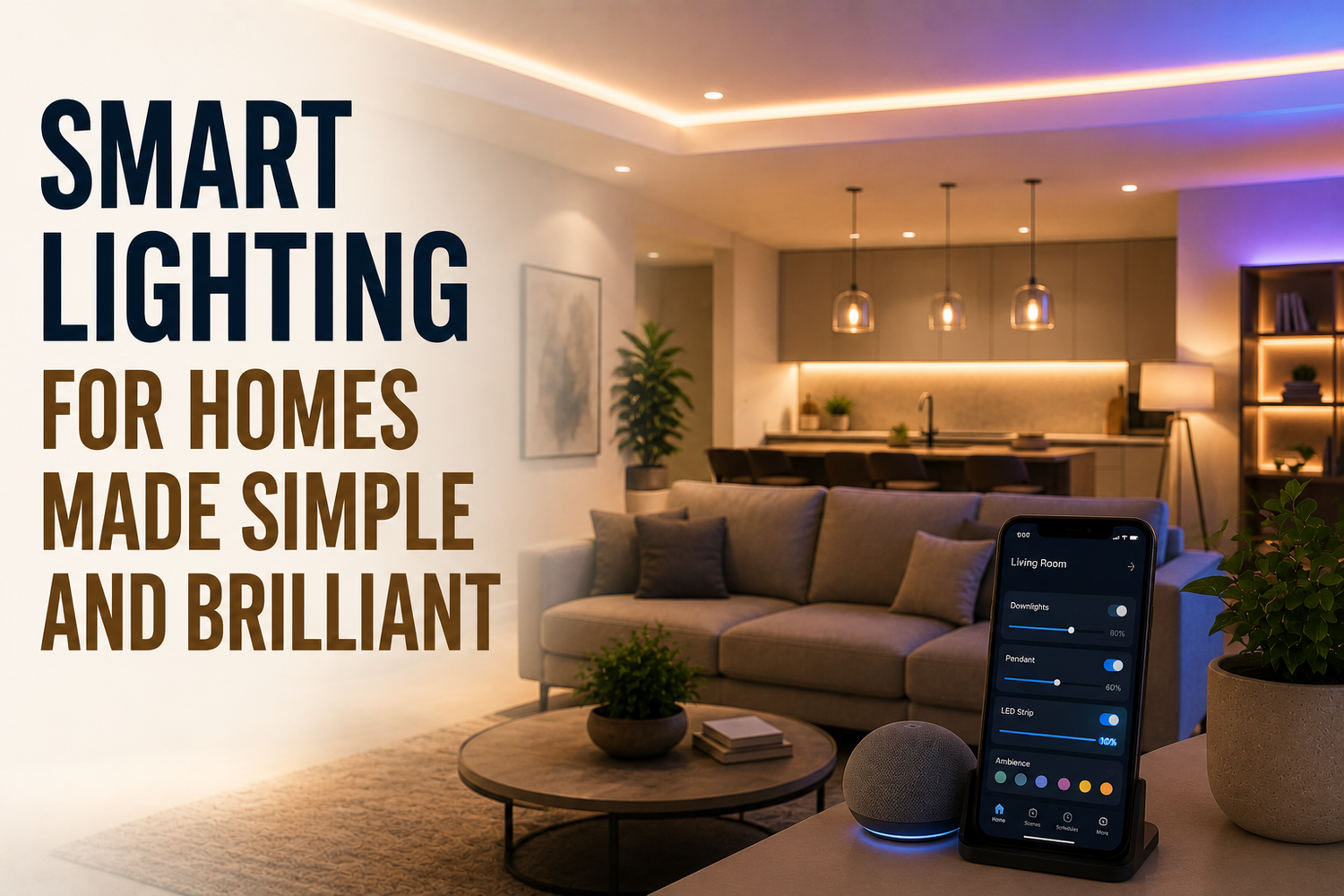
You come home after dark with shopping bags in both hands. The hallway is unlit, the living-room lamp is still on, and someone has left the kitchen light blazing. A smarter arrangement could turn on a gentle entry light as you arrive, switch the lamp off when nobody is using the room, and lower the brightness when the evening winds down, without asking you to manage every switch.
That's the appeal of smart lighting for homes. It isn't only about replacing an old bulb with an LED. It adds a control layer that lets your lights respond to time, movement, daylight, phone commands, voice requests, and routines. The useful result may be a calmer movie night, a safer trip to the bathroom, or fewer small interruptions during a busy morning.
Smart lighting can sound more complicated than it is. You don't need to automate every room at once, understand every wireless protocol, or rewire the house before you begin. Start with the routine that annoys you most, choose the least disruptive hardware, and build from there. If voice control is already part of your home, this guide to smart home devices with Alexa can help you think about how lighting fits into a wider setup.
Table of Contents
- Introduction to Smarter Light at Home
- What Smart Lighting Actually Is and How It Works
- Understanding Your Technology and Ecosystem Options
- Energy Savings Security Benefits and Realistic Expectations
- Room by Room Smart Lighting Ideas That Work
- Installation and Retrofit Guidance Without the Headaches
- Your Smart Lighting Decision Checklist and Next Steps
Introduction to Smarter Light at Home
A typical evening shows the difference between ordinary lighting and a connected setup. You enter the door, reach for the switch, carry something through a dark hallway, and later walk back to turn off a light you forgot. None of these tasks is difficult, but each one interrupts the routine you're already trying to follow.
With smart lighting, the entry light might come on when your arrival routine runs. The hallway could use a low-level path setting after bedtime rather than a harsh ceiling light. In the living room, one command could dim several lights for a film, while a morning schedule could brighten the bedroom gradually instead of forcing you into full brightness immediately.
The important word is control. A smart bulb gives you more than an efficient light source. It can give you remote access, scheduled behaviour, dimming, scenes, and responses to sensors. A smart switch can give the whole fixture a connected control point, even when different people use the physical wall switch.
A useful starting point: Choose the moment you want to improve, not the gadget you want to buy.
Your best solution depends on the home you live in and the way you use it. Renters may need equipment that can be removed without changing wiring. Homeowners may prefer switches or permanent fixtures that preserve ordinary wall control. A household that wants simple voice commands has different priorities from one that wants detailed colour scenes or sensor-based automation.
This guide moves from the basic idea to the practical choices. You'll learn how smart lighting works, how bulbs compare with switches, what wireless ecosystems mean, where energy savings are realistic in Canada, and how to plan lighting for individual rooms. You'll also get a retrofit decision path and a final checklist so you can start with one useful improvement instead of buying an incompatible collection of devices.
What Smart Lighting Actually Is and How It Works
A conventional light has two main parts: the light source and the manual control. Electricity reaches the bulb or fixture when you operate the switch. A smart system keeps those parts, then adds communication and decision-making.
Think of your home as having a nervous system. The bulb or fixture is the muscle, producing light. The switch, app, hub, or voice assistant acts like the brain, sending instructions. Sensors provide information, such as whether someone is in the room or whether daylight is already bright enough. Connectivity carries the message between these parts.

The control layer in plain language
A smart bulb puts the electronics inside the bulb. You can usually control that individual lamp through an app, schedule, or compatible voice assistant. It's easy to install because you screw it into an existing socket, but the wall switch must remain on. If someone turns that switch off, the bulb loses power and can't receive commands.
A smart switch replaces the wall switch and controls the connected circuit. This often feels more natural in a shared home because people can still use the wall control. The switch may need suitable wiring, enough space in the electrical box, and compatibility with the load, so installation deserves more care.
A smart fixture combines the light source and control electronics as one unit. It can offer a neat appearance and integrated features, but replacement may be less flexible if the fixture fails or your preferences change. A smart plug makes an ordinary table lamp controllable by switching its power. It's useful for simple on-and-off routines, but it generally won't provide the same dimming or colour control as a smart bulb.
Scenes and schedules turn individual commands into behaviour. A “movie” scene might dim the main light and leave a lamp at a lower level. A schedule can set a regular evening change. A motion sensor can trigger a hallway light, while a daylight sensor can prevent an outdoor light from operating during bright conditions.
The distinction matters because efficiency comes from two layers. The light source determines how much electricity it needs while operating. The control system determines when it operates, how brightly it runs, and whether it stays on after you leave. California's policy history illustrates why these ideas belong together. A UC Davis Lighting Technology Overview reported that, by 2013, California had more than 12.5 million households and that traditional incandescent lighting in those homes consumed nearly 10,000 gigawatt-hours of electricity each year.
For a practical look at how devices, controls, and installation choices can fit into a complete system, read this guide to smart lighting in Brisbane from DLG Electrical. In a kitchen, the same control principle supports task lighting, under-cabinet lighting, and ambient layers. You can also compare ideas in this guide to best kitchen lighting.
Window coverings can join the same comfort conversation, even when they aren't connected to the lighting network. For example, the ITY CDNW-1 Zebra Blind, 27x84 White is described as a cordless polyester day-night blind with light and privacy control, included hardware, and pickup in Cookstown and Mississauga.
Understanding Your Technology and Ecosystem Options
The easiest way to choose smart lighting is to begin with the control point you want to change. If you rent and want to improve one bedside lamp, a bulb or plug makes sense. If your family constantly switches a ceiling light off at the wall, a smart switch may create a better experience than a smart bulb. If you're renovating, an integrated fixture can be part of the electrical plan.
Bulbs, switches, fixtures, and plugs
| Option | Best For | Control Level | Install Effort |
|---|---|---|---|
| Smart bulbs | Renters, lamps, single-socket experiments | Individual bulb, dimming, scenes, and sometimes colour | Low, screw-in replacement |
| Smart switches | Shared rooms and permanently installed lights | Whole circuit with wall control | Moderate, wiring and power isolation required |
| Smart fixtures | Renovations and coordinated room design | Integrated fixture-level features | Moderate to high, fixture installation |
| Smart plugs | Lamps and simple on-off routines | Power control for a connected appliance or lamp | Low, plug-in setup |
Bulbs are the most reversible option. They're also the easiest to misunderstand. A smart bulb needs continuous power, so a traditional wall switch that gets turned off can make the app appear unreliable. Switches avoid that particular problem, but they introduce wiring questions, including whether a neutral wire is present and whether the electrical box can accommodate the device.
Fixtures can look tidy because the electronics are built in, but they aren't always the best choice for a first experiment. You're committing to the size, appearance, light distribution, and replacement path at the same time. Plugs are useful when you only need a lamp to turn on or off, not when you want precise brightness.
Wireless choices without the jargon overload
Wi-Fi devices connect through your home network and often work without a separate hub. That can simplify the first purchase, although your network becomes part of the system's reliability.
Bluetooth can be convenient for nearby control and small setups. Its range and whole-home behaviour depend on the products you choose, so check the manufacturer's requirements rather than assuming every Bluetooth device works the same way.
Zigbee devices commonly use a hub or bridge and can form a dedicated lighting network. The hub adds another component, but it can separate lighting traffic from general household Wi-Fi.
Matter is an interoperability standard intended to help compatible smart-home products work across supported platforms. Compatibility still depends on the specific device, controller, and features involved. A product may support basic on-and-off control across ecosystems while reserving a specialised feature for its own app.
A hub or bridge is a translator and traffic organiser. Your app sends an instruction, the hub passes it to the lighting network, and the device responds. Voice assistants such as Alexa, Google Home, and HomeKit can provide another interface, but they don't remove the need to check compatibility.
Compatibility rule: Confirm the device's required network, hub, assistant, and wiring before you buy. “Works with smart home” isn't specific enough.
Make your ecosystem decision based on habits. If your household already uses one voice platform, matching it may reduce friction. If you prefer phone control, an app-first system may be sufficient. If you expect to expand into sensors and multiple rooms, examine the hub and platform limits first. Related kitchen automation ideas are available in this guide to smart kitchen appliances.
California's code experience also shows why the control method deserves attention. In residential new construction and many major lighting retrofits, California Title 24 residential lighting guidance requires high-efficacy luminaires in nearly all permanently installed locations and adds room-specific controls, including vacancy sensors in bathrooms, garages, laundry rooms, and utility rooms.
Energy Savings Security Benefits and Realistic Expectations
Smart lighting can reduce wasted run time, but it isn't a magic bill-cutting device. The strongest value often comes from combining an efficient LED light source with controls that match real behaviour, such as dimming, occupancy detection, schedules, and daylight response.
California treated residential lighting as a major efficiency opportunity. The California Public Utilities Commission analysis noted that lighting made up 22% of electricity use in the average California home, across more than 11 million homes and about 500 million light sockets statewide. It estimated that switching all residential lighting to technologies delivering 40 lumens per watt could cut residential lighting energy use by 50%.
That context doesn't transfer directly to every Canadian household. Independent Canadian smart-lighting guidance notes that lighting is a relatively small part of annual household electricity use, so smart dimming and automation often improve convenience more than they reduce bills. The same guidance says smart bulbs typically use LEDs that last at least 15 times longer and use about 70% to 90% less energy than incandescent bulbs.

Where the benefits are strongest
Convenience is usually the clearest gain. You can dim a light without crossing the room, switch off a forgotten lamp remotely, or create a routine that handles repetitive changes.
Safety comes from appropriate placement and timing. Low-level hallway lighting can help someone move around at night. Outdoor motion control can reduce the need to search for a switch. Vacancy automation can turn lights off after people leave, but it shouldn't be treated as a replacement for locks, alarms, or sensible security habits.
Replacement timing also matters. Longer-lasting LEDs can mean fewer bulb changes, especially in hard-to-reach fixtures. That benefit may be more noticeable than a small change on a monthly electricity bill.
Before buying, ask what result you can observe. If your main problem is forgetting a lamp, use a schedule or smart plug. If your goal is a welcoming home while travelling, use varied schedules that resemble normal activity. If your priority is atmosphere, choose dimming and colour control rather than paying for sensors you won't use. A home energy monitor can help you understand your broader household consumption, but it won't turn a small lighting load into a major savings category.
Reality check: Buy smart lighting for a specific routine, comfort improvement, or control problem. Treat energy savings as a supporting benefit unless your home wastes substantial lighting run time.
Room by Room Smart Lighting Ideas That Work
A smart-lighting plan works best when each room gets controls suited to its routine. The living room, kitchen, bedroom, bathroom, and exterior don't ask the same thing from a bulb or sensor.
Living room
Start with layers. Use a main ceiling light for general brightness and lamps or accent fixtures for softer evening light. A scene can lower the main light while keeping a reading lamp usable, so “relax” doesn't mean sitting in darkness.
For movie night, create a setting you can activate from the sofa. Keep enough low-level light for safe movement, particularly near steps or furniture, and avoid relying on fast colour changes if your household prefers a calm environment.
Kitchen
The kitchen needs useful visibility before it needs visual drama. Place bright, adjustable task lighting where you chop, wash, and prepare food, then use ambient lighting for the rest of the room. A scene for cooking can turn on work areas, while a later evening setting reduces brightness without switching every fixture separately.
If a physical wall switch controls several lights, consider whether a smart switch provides more practical control than fitting individual smart bulbs. The right choice depends on whether you want one circuit to behave together or different areas to respond independently.
Bedroom
A bedroom benefits from gentle transitions. Use a warm, dim setting near bedtime and a gradual wake-up routine if your system supports it. Keep the physical control easy to reach, because a routine shouldn't leave you searching for a phone when you need darkness.
Avoid placing a motion sensor where normal sleeping movement can trigger the light. A bedside lamp with a smart bulb is often a low-risk first step for renters.
Bathroom and hallway
A vacancy or motion routine can help in spaces where people often leave lights operating. Keep the timeout long enough for ordinary use, particularly in a bathroom where someone may remain still for a while. For a late-night hallway, use a low-brightness setting rather than full output.
Sensors are part of a wider building-automation conversation. This overview of Constructive-IT sensor integration provides useful context for thinking about how occupancy and environmental sensors can work together.
Outdoors
Outdoor lighting should respond to the natural day-night cycle and movement. California residential guidance describes outdoor lighting attached to a residence as high-efficacy and controlled by a photocontrol plus motion sensor or an astronomical time switch. That approach avoids leaving exterior lights on continuously while keeping the entrance usable when needed.
In Canada, remember that the main benefit may be control and convenience rather than a dramatic bill reduction. Choose weather-appropriate equipment, protect connections as required, and keep sensor coverage focused on the path, entrance, or driveway you need to illuminate.
Installation and Retrofit Guidance Without the Headaches
The safest installation path starts with the least invasive option. A smart bulb or plug can test whether automation improves your routine without changing the electrical system. A smart switch can feel more natural in a busy household, but it requires a closer look at wiring and the existing wall box.

Choose the retrofit route
Use this decision path before opening a package:
- Start with the housing situation. Renters should favour removable smart bulbs, plugs, or accessories unless the landlord approves electrical work. Owners can consider switches and fixtures, provided the installation suits the wiring and local requirements.
- Identify the control problem. Choose a bulb when you want independent lamp control. Choose a switch when the wall control must remain intuitive for everyone. Choose a plug when the lamp only needs on-and-off operation.
- Inspect before purchasing. For a switch, check whether a neutral wire is available, whether the electrical box has enough room, and whether the device supports your lighting load and dimming method. Don't assume an old dimmer is compatible with a new smart device.
- Call an electrician when the wiring is unfamiliar. Power should be isolated at the breaker before electrical work, and a tester should confirm that the circuit is not energised. If the box, wiring, grounding, or fixture condition raises questions, stop rather than improvising.
Safety first: App instructions can't replace electrical knowledge. A no-tools bulb swap is one task. Altering fixed wiring is another.
Begin with one room. Pair the device, name it clearly, test manual control, then create one schedule or scene. Leave the original wall switch in its normal position for a smart bulb, and explain that rule to everyone in the home. Flicker, buzzing, delayed responses, or random resets can point to dimmer incompatibility, poor power conditions, network limits, or an unsuitable device.
Keep the hub or bridge in a sensible central location, away from obvious obstructions and unnecessary interference. If your system depends on Wi-Fi, test control from the areas where you'll use it. If it depends on a hub, confirm that the lights still behave acceptably when the internet is unavailable.
This smart thermostat installation guide offers a similar reminder for connected home upgrades: compatibility checks should come before installation. The same habit prevents wasted purchases with lighting.
Watch the following installation walkthrough for a visual explanation of the decision process:
Your Smart Lighting Decision Checklist and Next Steps
A good smart-lighting purchase solves one visible problem first. Decide whether that problem is convenience, ambience, safety, replacement effort, or unnecessary run time, then match the control type to the room.

Use this checklist:
- Goal: Pick one outcome, such as a calmer evening or a safer hallway.
- Housing: Record whether you're renting or owning before considering wiring changes.
- Control: Decide between bulb, switch, fixture, plug, app, voice, schedule, or sensor.
- Ecosystem: Check Wi-Fi, Bluetooth, Zigbee, Matter, hub, and assistant compatibility.
- Expansion: Choose a system that won't block the rooms or routines you may add later.
Buy one pilot device, test it through a full daily routine, and only then expand. GrifGlo's curated home and smart-living guidance groups products and comparisons around practical fit, helping households and organisations make more structured purchasing decisions.
GrifGlo offers decision-friendly guides and curated essentials for smart living, home organisation, and practical household upgrades. Visit GrifGlo to compare options, clarify fit, and choose your first smart-lighting improvement with greater confidence.


Laisser un commentaire
Ce site est protégé par hCaptcha, et la Politique de confidentialité et les Conditions de service de hCaptcha s’appliquent.